Industry
B2C · Travel · Mobile App
My Role
UX Design · UI Design · User Research
Year
2024
Tools
Figma · Miro · Google Doc · Google Slides
TL;DR
Bestrip is an end-to-end travel planning app designed to make group and solo trip planning simple, enjoyable, and personalized. The app provides a step-by-step wizard builder offering packages ranked by matching score based on users' activity, budget, destination, and schedule preferences.
Brand Platform
Why "Bestrip"?
Bestrip is an app to provide the tools in a simple, easy, and enjoyable way to create the trip that really meets their exact activities they want to do, budget they have, places they want to travel to, and schedule that fits their life responsibilities.
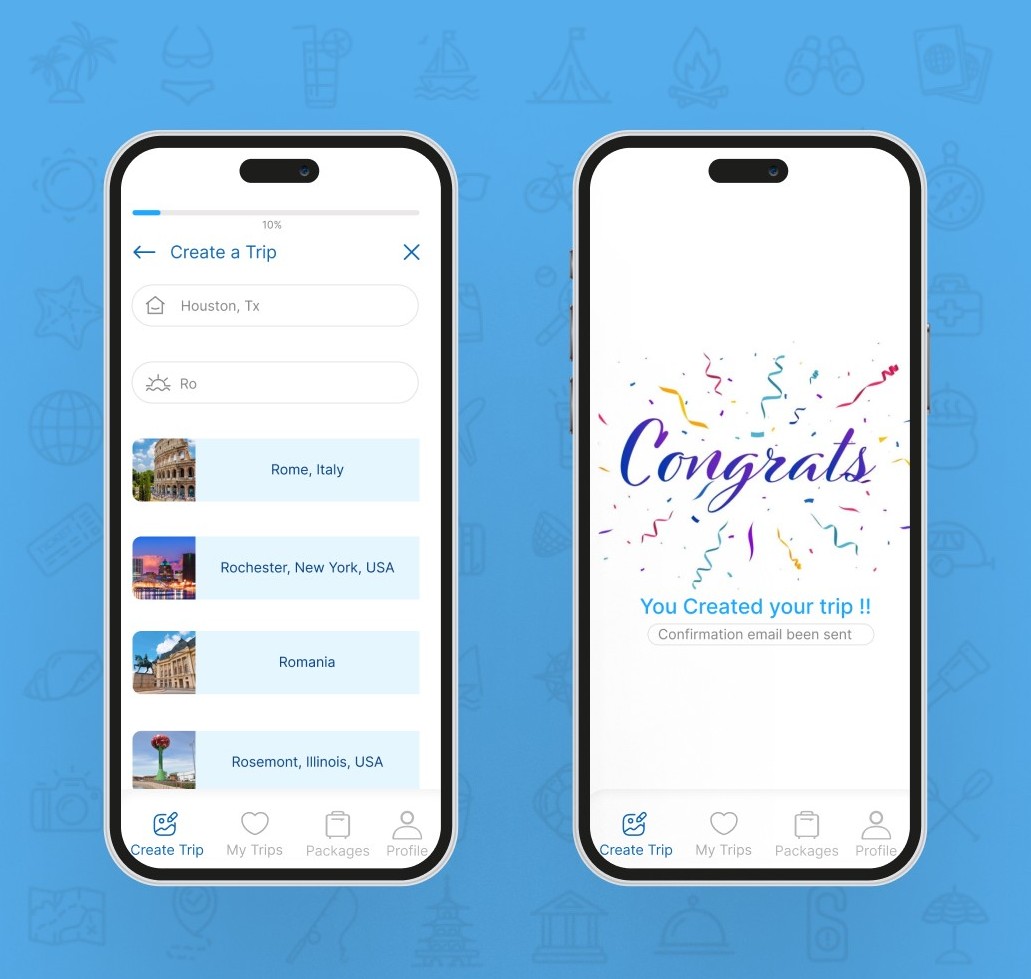
A complete, convenient, hassle-free package. The app provides a step-by-step wizard builder, offering packages ranked by matching score (5/5 to 1/5) based on users' prior choices to pick from and/or other display options.
Mission
Empower travelers with simple, enjoyable tools for personalized, stress-free trip planning.
Vision
Become the go-to platform for effortless, customized travel experiences.
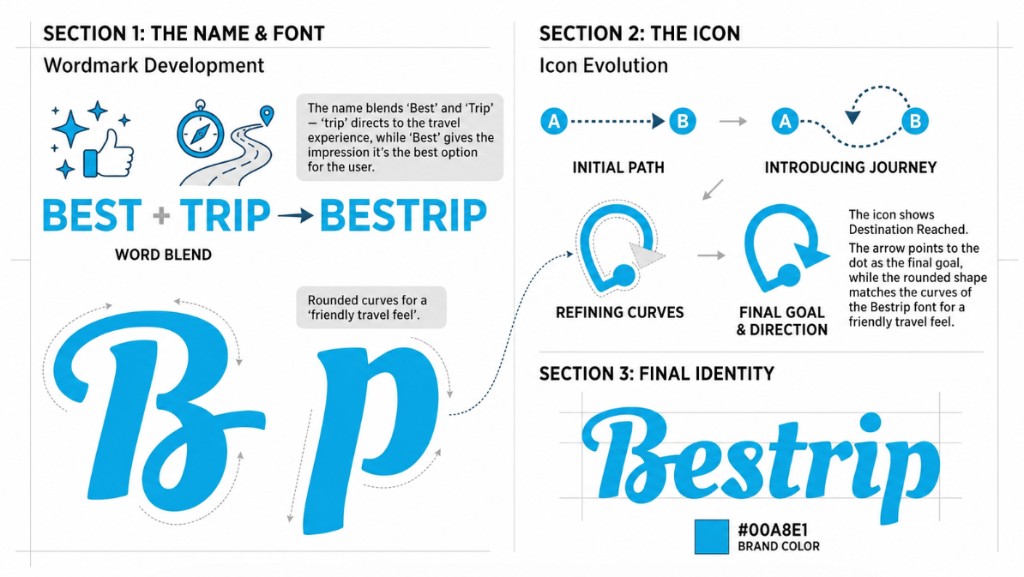
Behind The Logo Design
The Story of Bestrip brand design.
The Challenge
Why planning trips feels so hard?
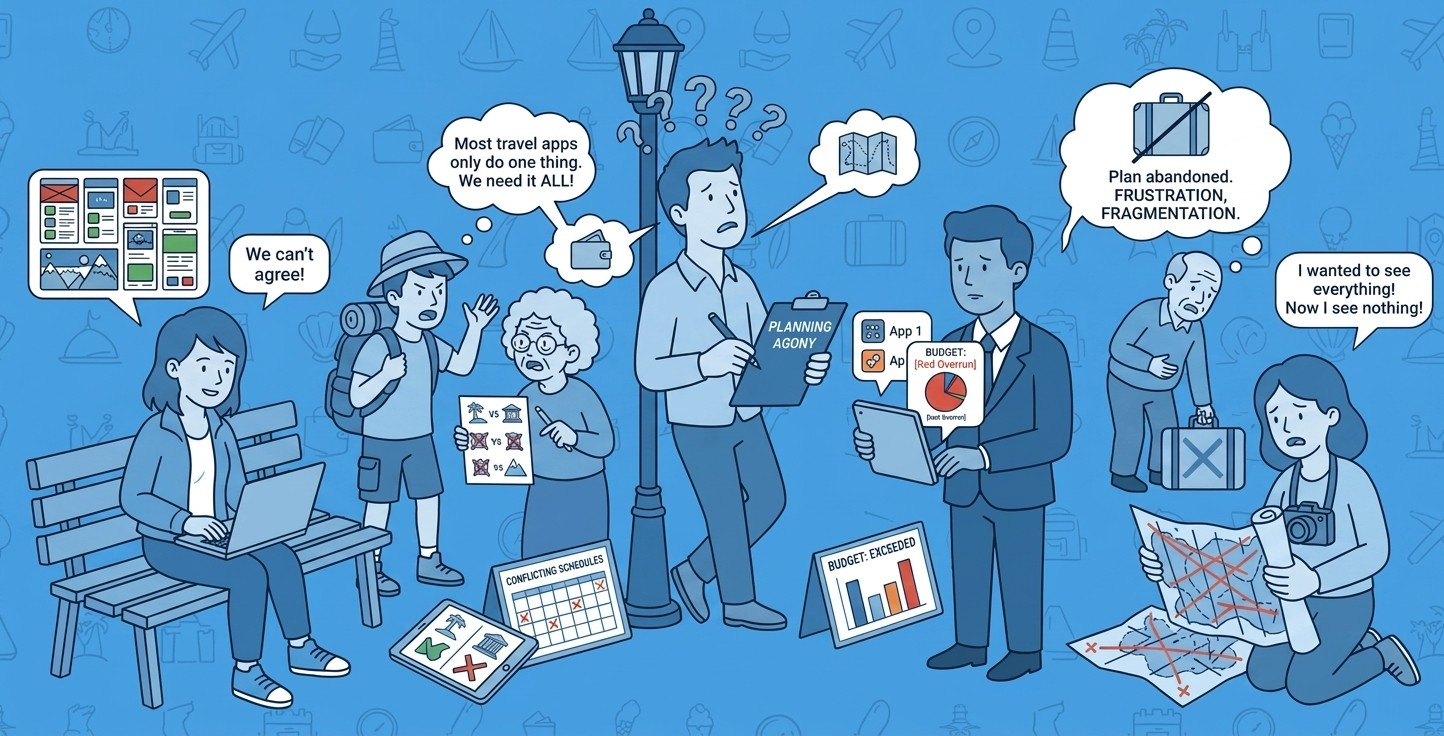
Planning vacations for families or friends can be overwhelming. It's tough to match everyone's preferences, coordinate schedules, and stay on budget. Most travel apps don't solve all of these issues together, leading to frustration, fragmentation, and abandoned plans.
Research methods
How I Designed a Better Travel Experience?
I started my journey with desk research, then I followed up with screener surveys, I found my target audience, and finally conducted five in-person, moderated user interviews to reach my Key Findings.
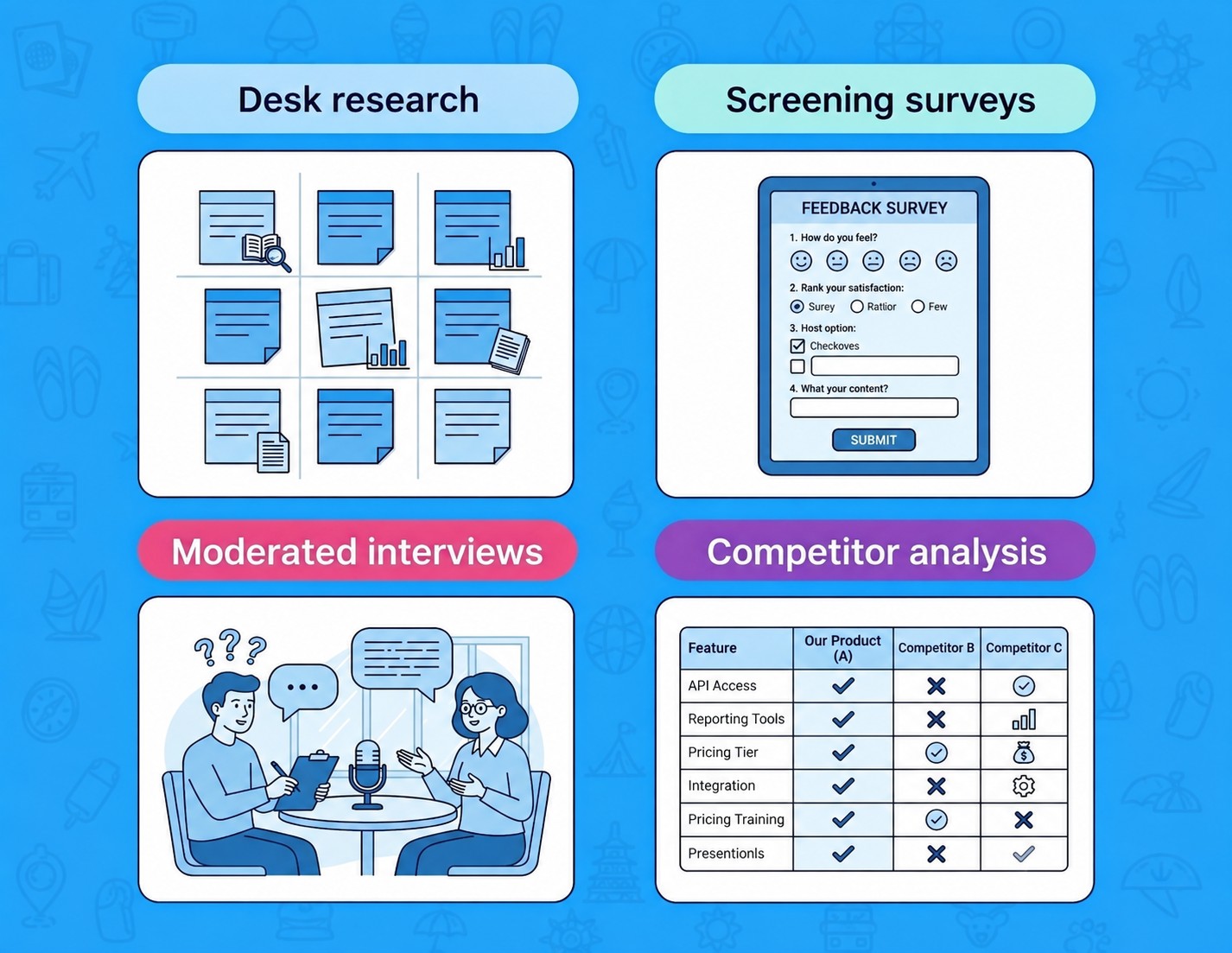
Want a more in-depth look at our research, insights, and process? Read more
Key Findings
What did we learned from our users?
Create an account is Complicated
Users are frustrated with the many questions & steps to create an account most of the time the leave the app because of that.
Travelers can't find their desired activities at their destinations
Many travelers face difficulties finding activities at their destinations that align with their preferences, leaving them feeling unfulfilled or struggling to make the most of their trip experiences.
Prices don't align with what travelers want
Travelers often find that prices for activities and services don't align with their expectations, making it challenging to find options that suit both their interests and budgets.
Check out & booking hassle
Travelers face hassle with check-out and booking processes, often finding them complicated and time-consuming.
Synthesizing insights
What I learned from Research Insights to Persona & Priorities?
I used affinity mapping to group action and thought patterns from interviews, then created an empathy map to capture the differences I found in user needs and behavior. This led to a key persona, Jeff (35), who helped me prioritize features like easy account creation, finding desired activities at his destinations, and managing a budget.
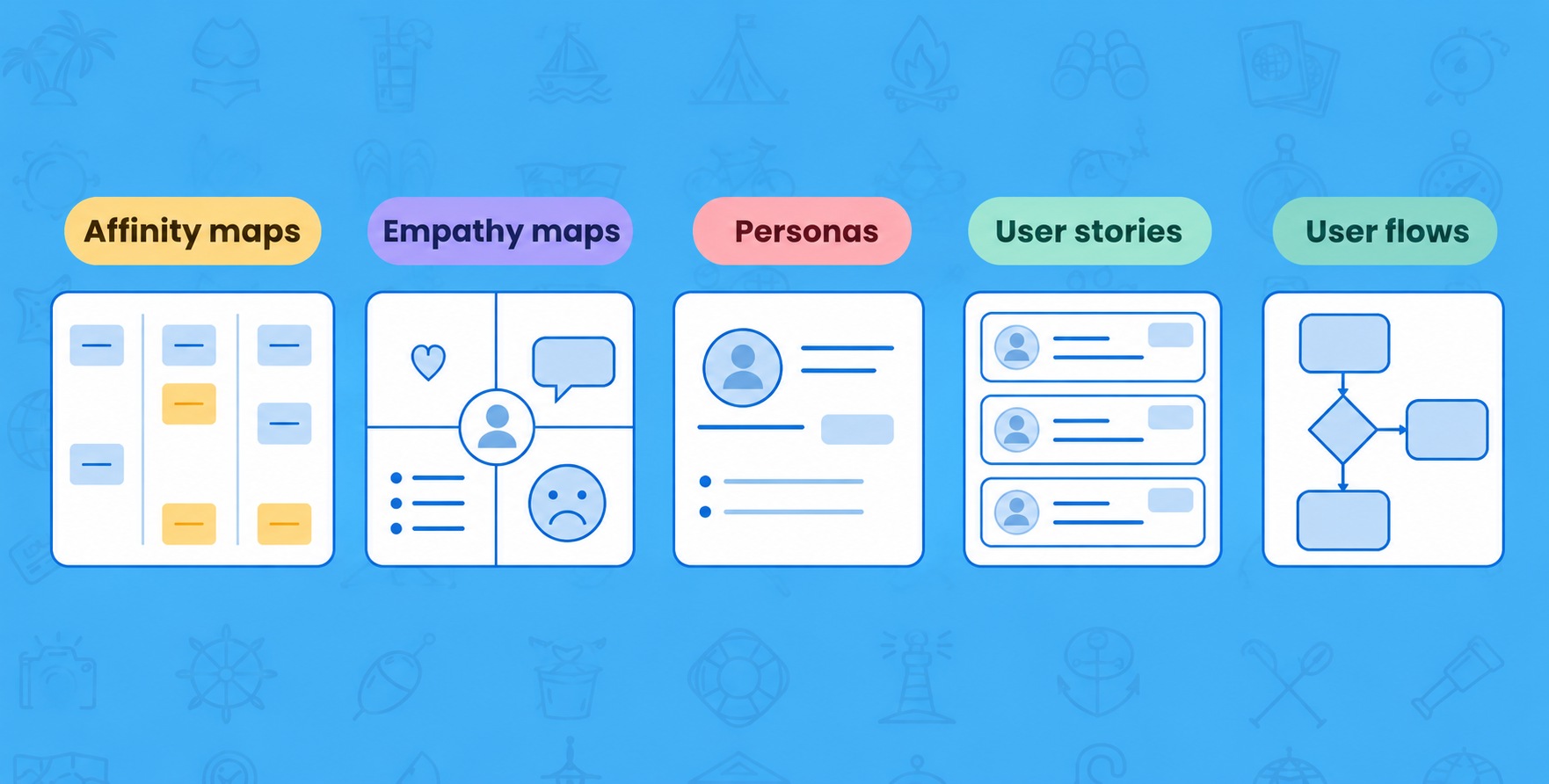
Want a more in-depth look at my data synthesis process? Read more
Visuals
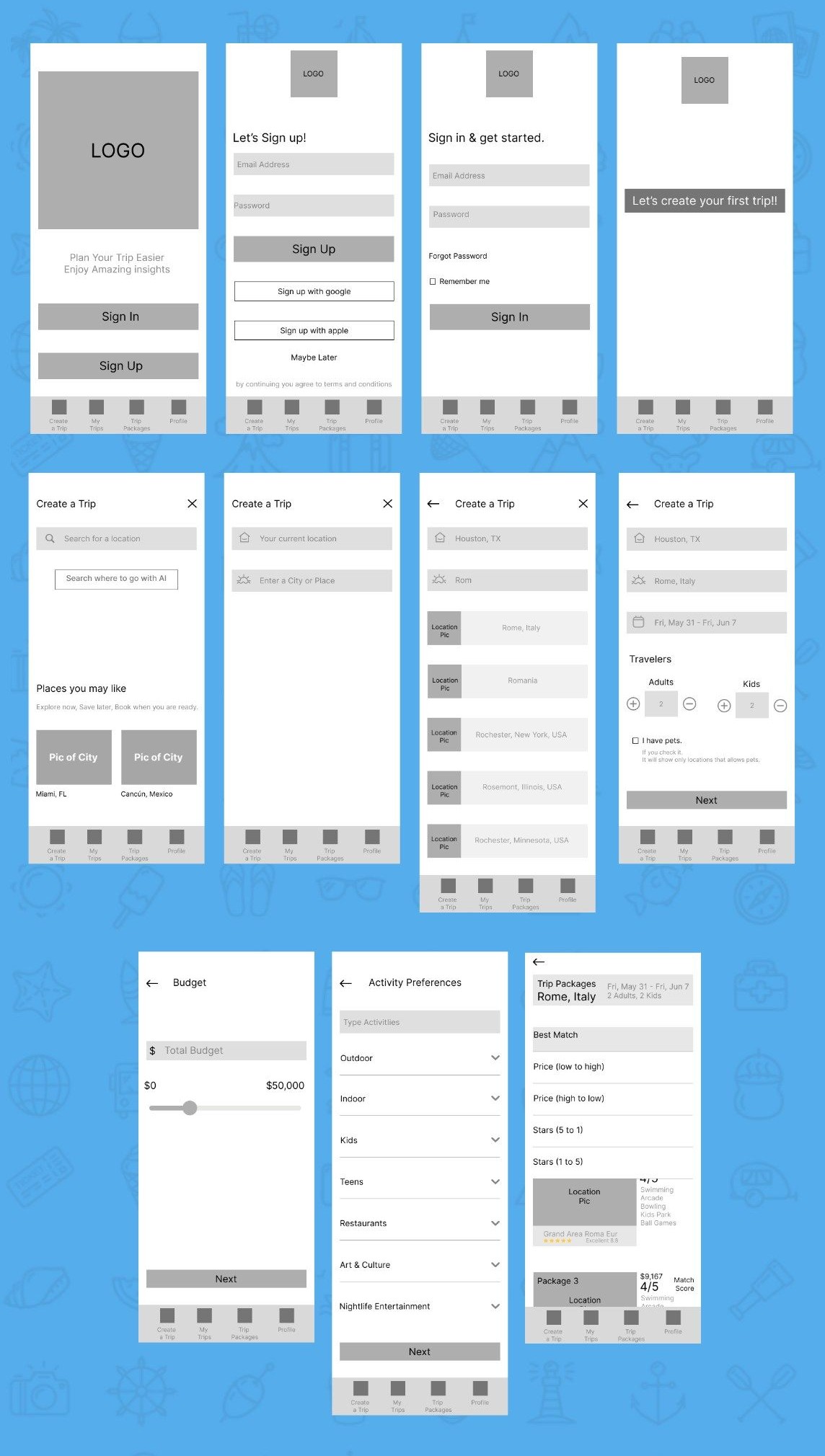
Bringing features to life with wireframes.
I built the first iteration of wireframes with these flows in mind, prioritizing clean content, navigation, and familiar design patterns to reduce cognitive load
Design System
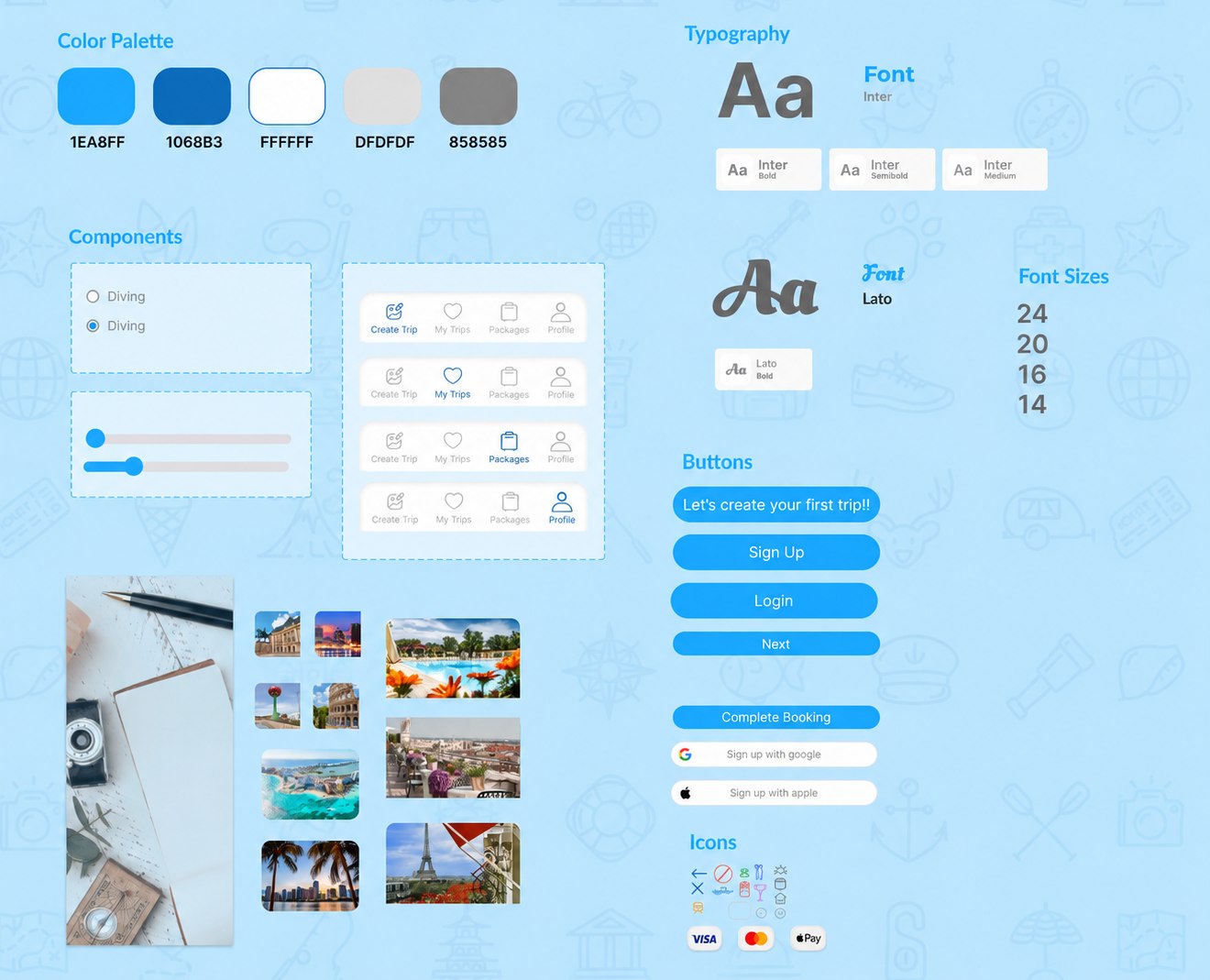
Consistent Visual Language Across Screens.
Bright blue accents, clear typography, reusable components, and consistent buttons create a friendly, organized, and accessible travel experience for users.
High Fidelity
Onboarding
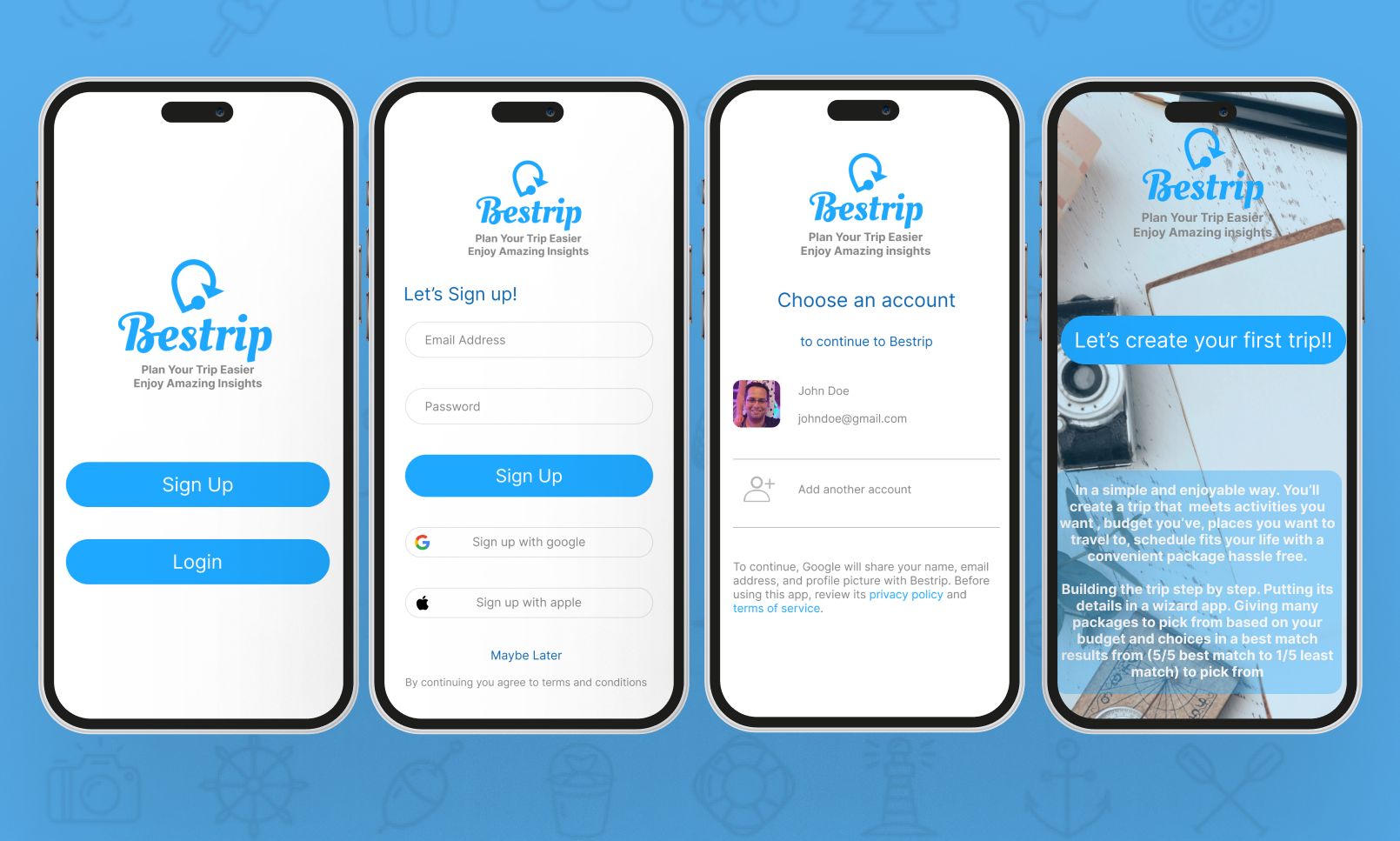
The onboarding screens are designed to introduce new users to the features and functionality of the dating service. They provide an overview of how the app works and what users can expect from the experience. The subtext of the onboarding screens is to guide users through the sign-up process and create their profile.
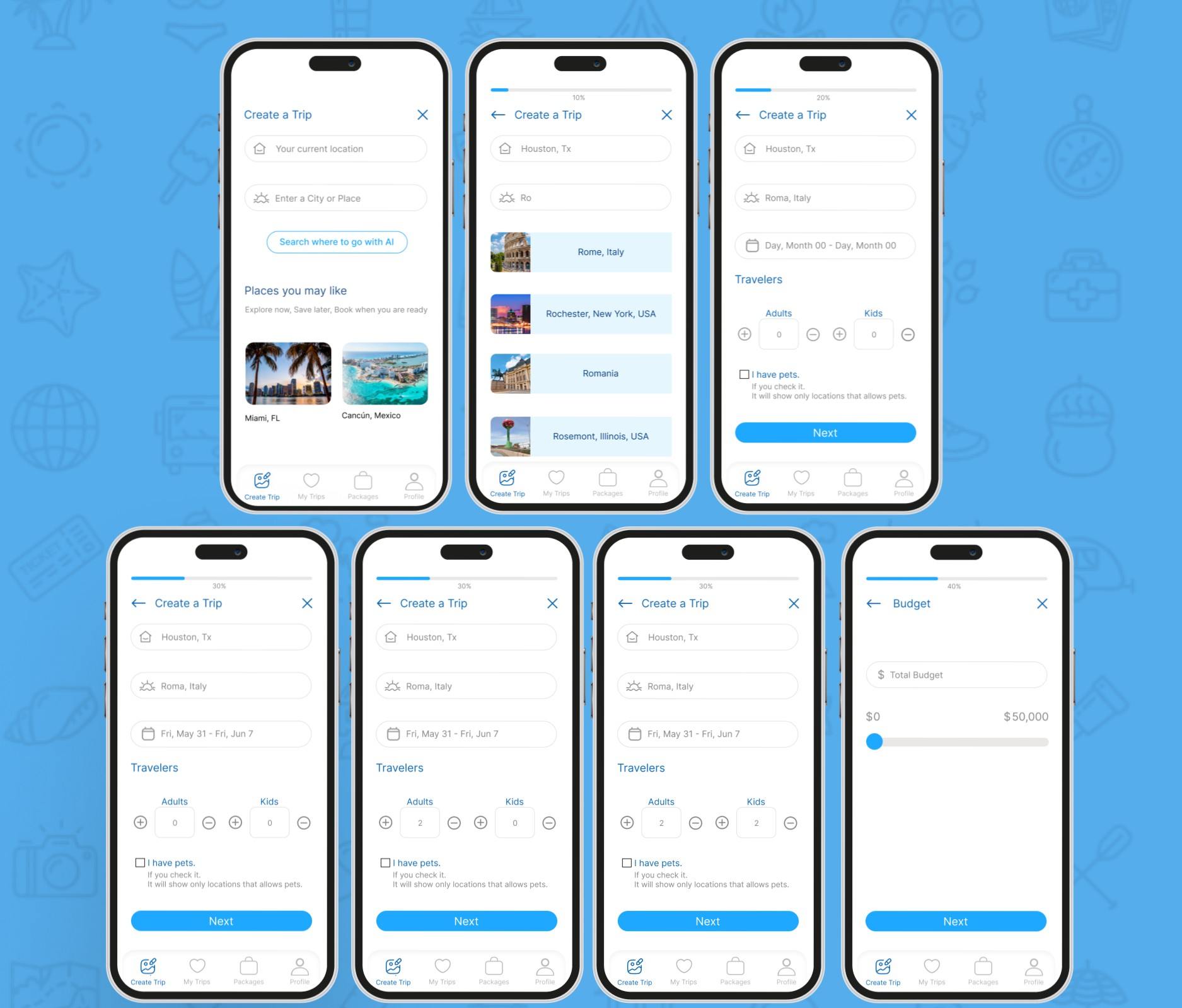
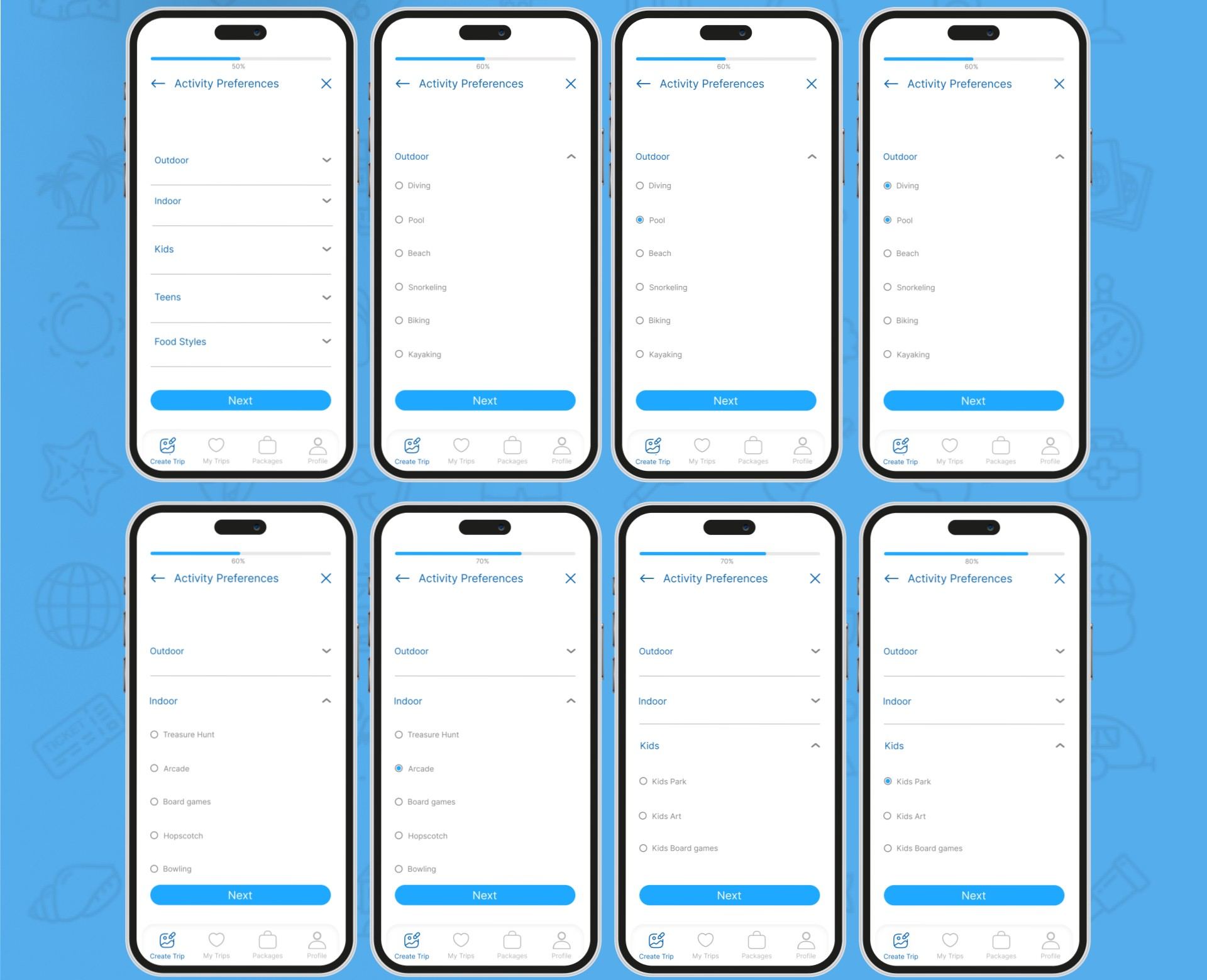
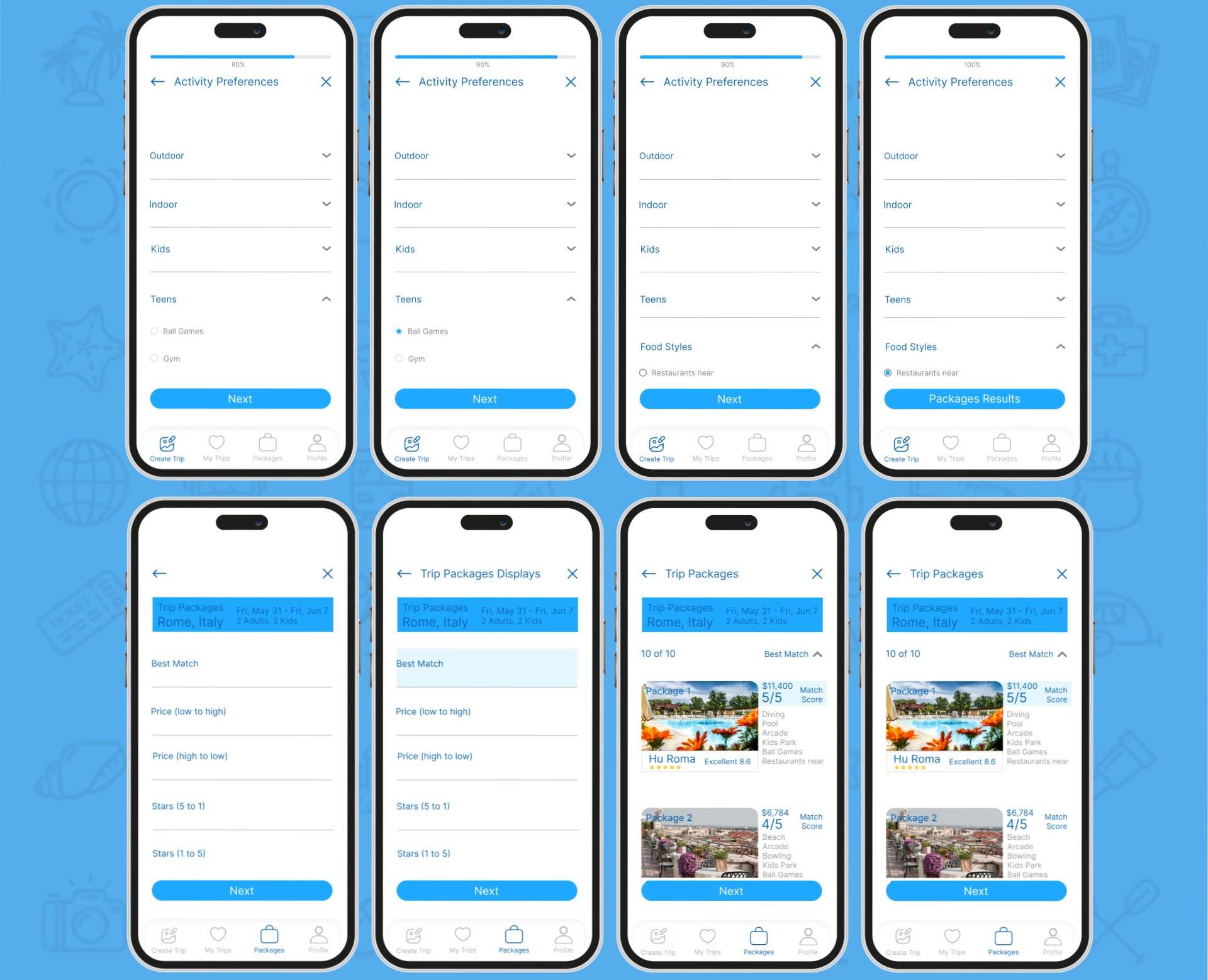
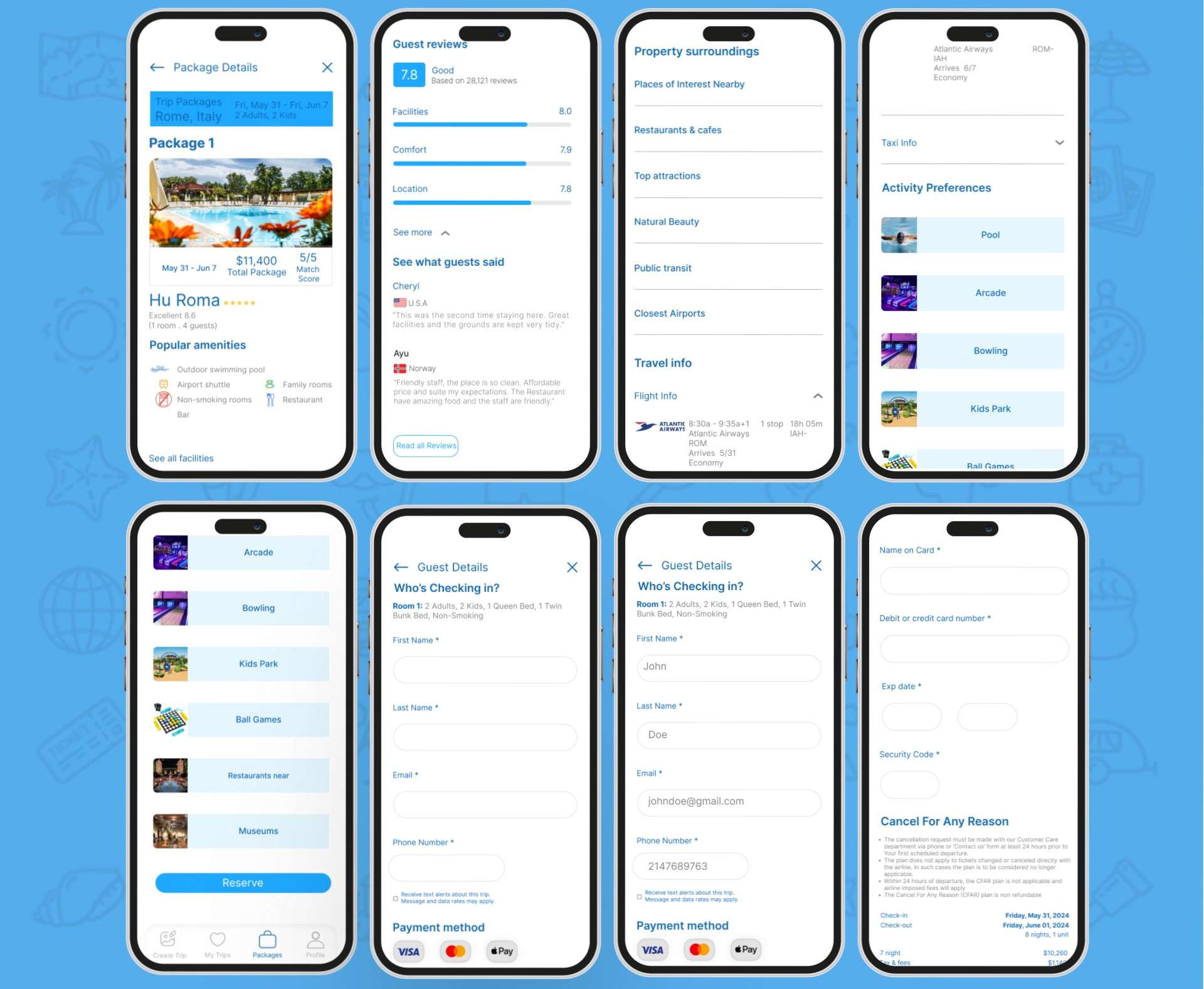
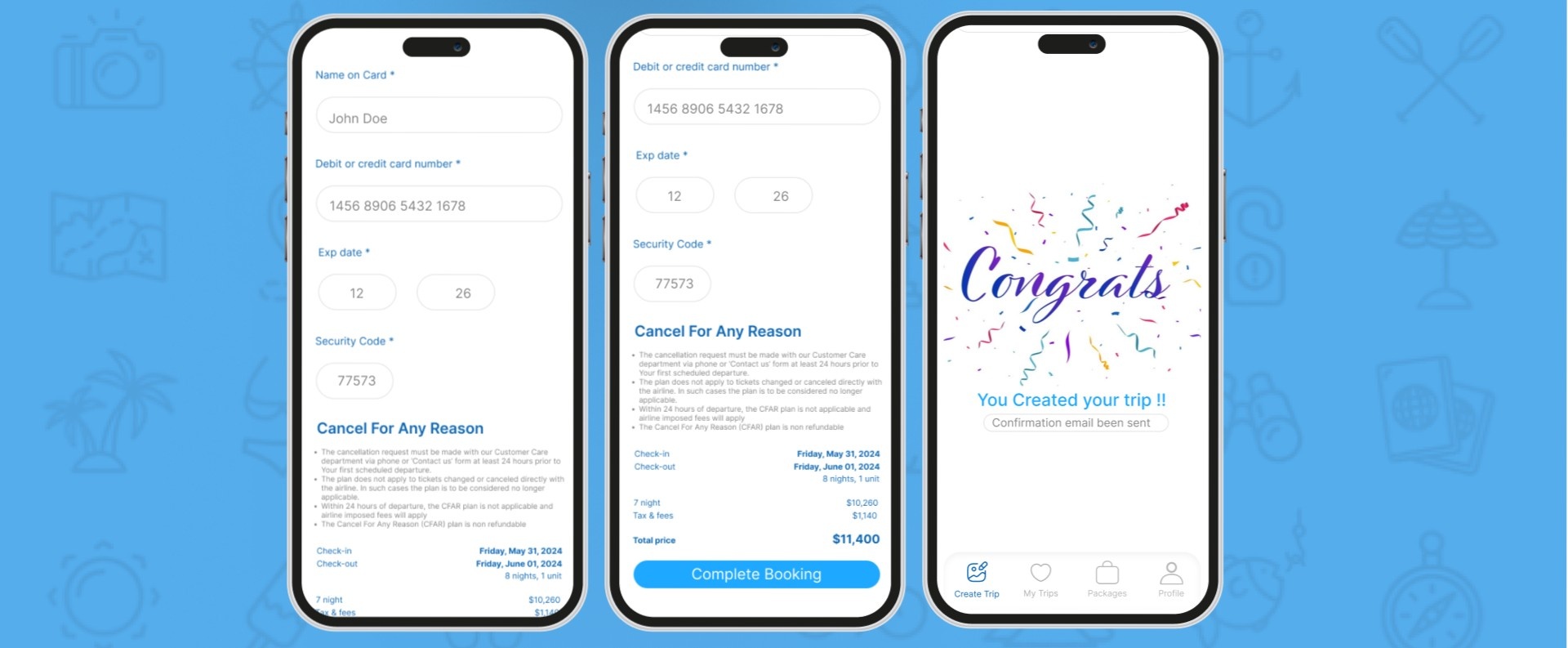
Create a trip from start to Confirmation booking
Begin your journey by selecting your destination, travelers, dates, activities, budget and activity preferences services to enhance your experience. Review and confirm your details, enter traveler information, complete payment, and receive your booking confirmation—congratulations on your upcoming trip!
Home Screen
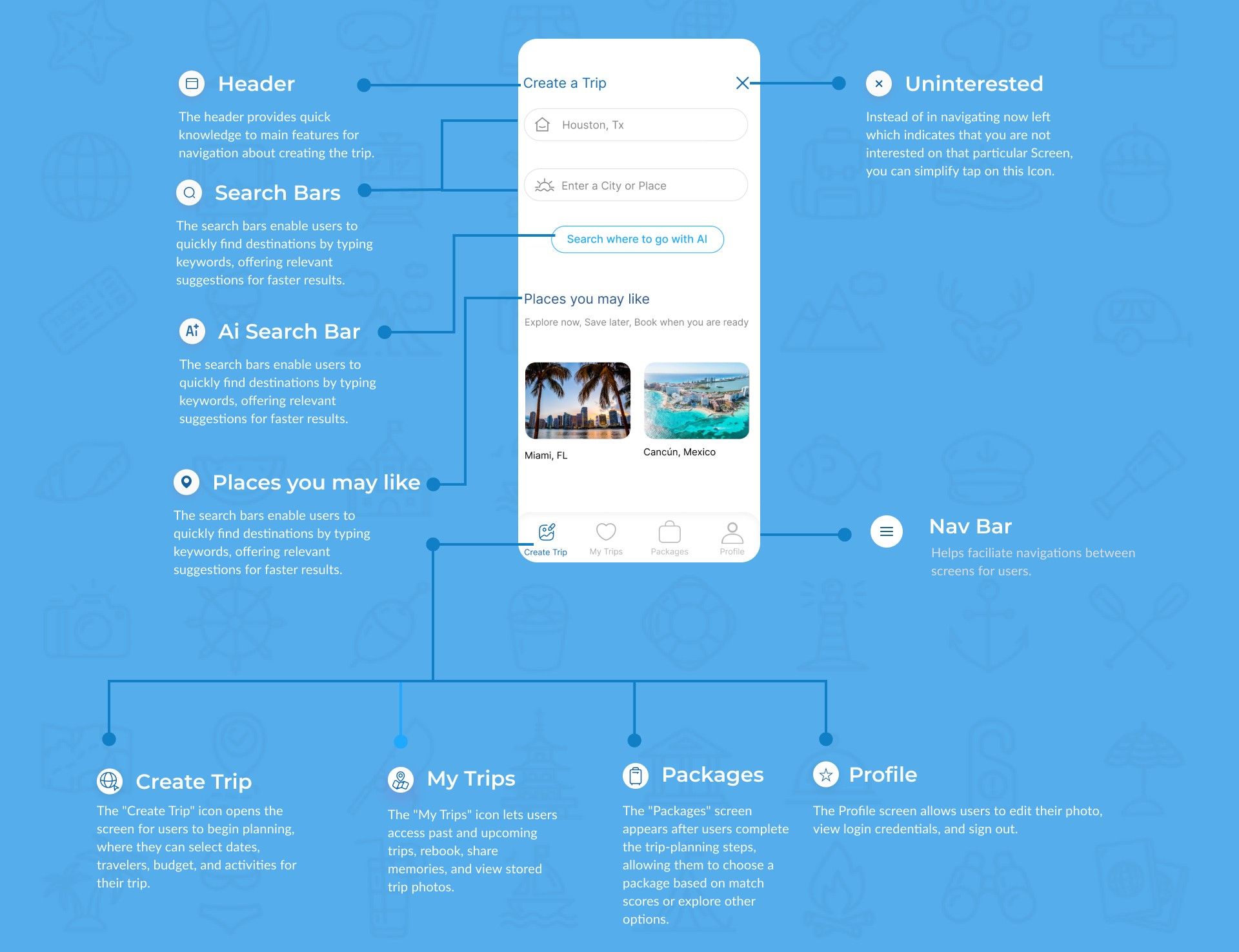
The home page of the travel app allows users both new and returning to create a new trip and navigate to all other features via icons.
Other Screens
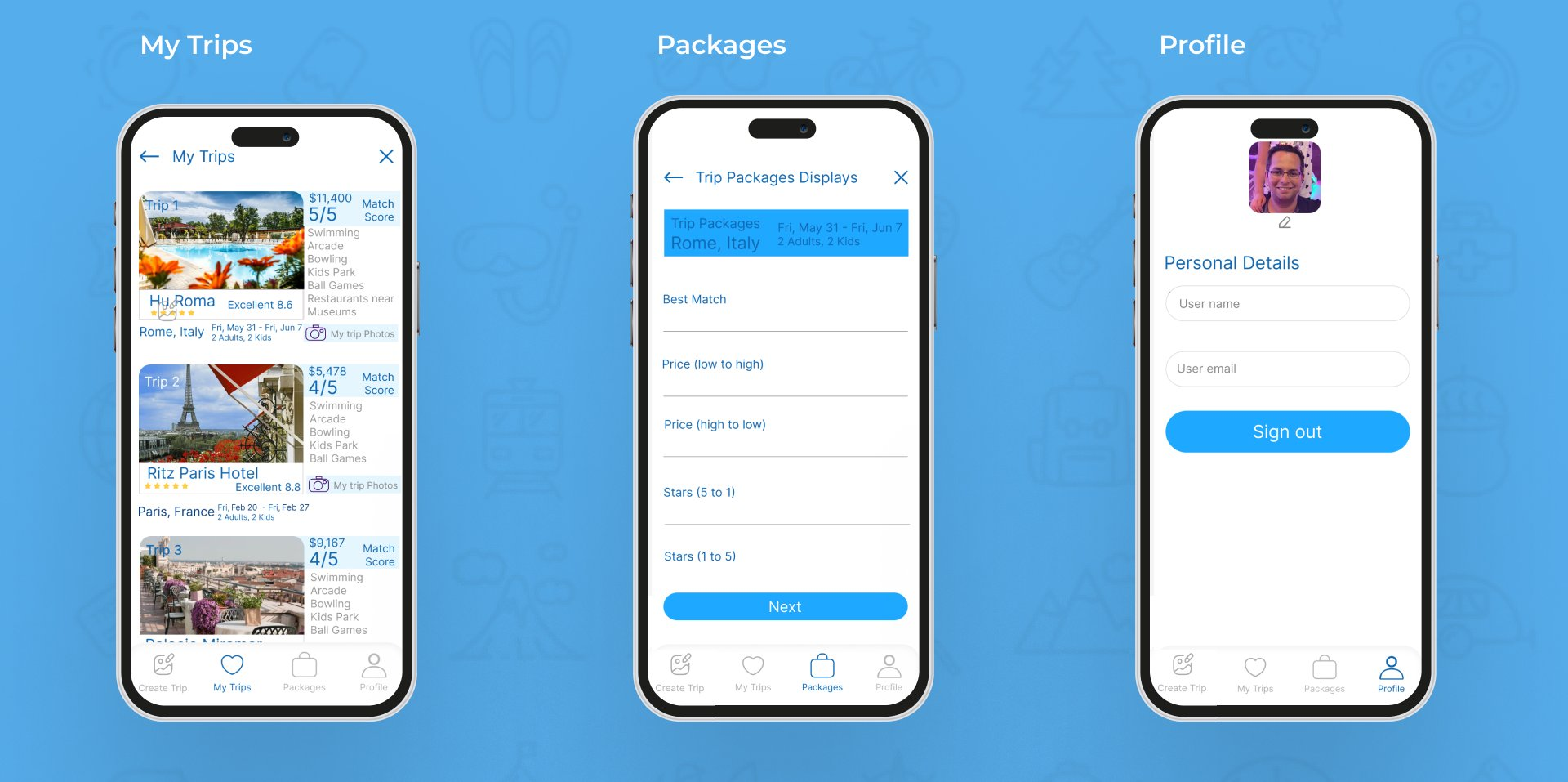
These three screens help users manage saved trips and photos, explore travel packages, and update their personal profile and account information.
My Trips
Stores and organizes each trip separately, including trip details and photos, so users can easily revisit, manage, and remember their travels.
Packages
Displays available trip packages with prices, ratings, activities, and match scores, helping users compare options and choose the most suitable package.
Profile
Allows users to manage personal information, update their profile photo and account details, and securely sign out of the app.
Prototype & Testing
Testing the experience end-to-end.
By sending participants the prototype link so they could test the product on their personal computers and the Figma Mirror (Figma mobile app) so they could provide feedback on usability and potential improvements, I remotely conducted a moderated usability test with 5 different participants in 2 different rounds.
First round key insights
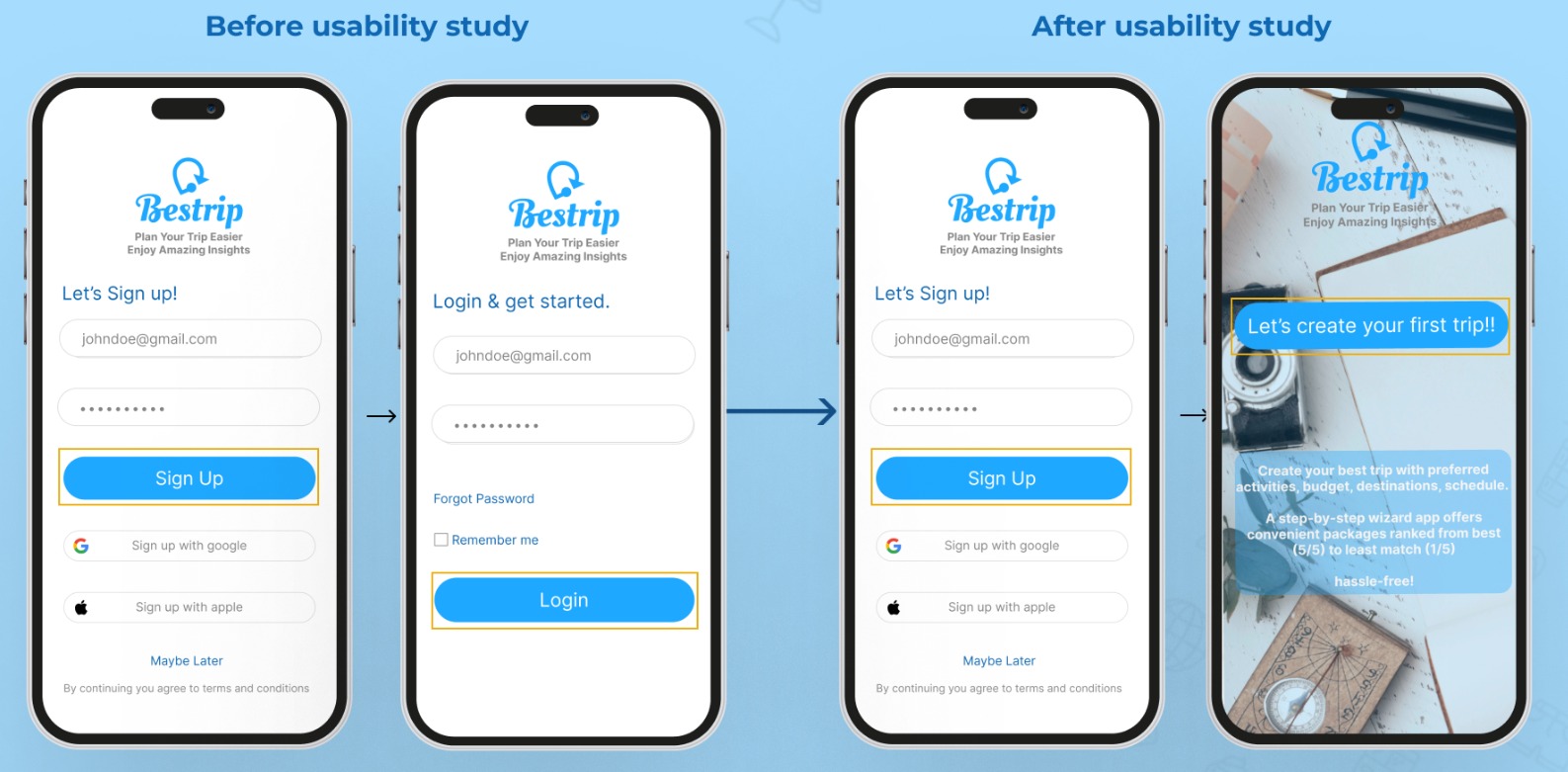
Users were directed to the “Login” screen after signing up. Now, after “Sign up,” they are taken to the “Let’s create your first trip” onboarding screen.
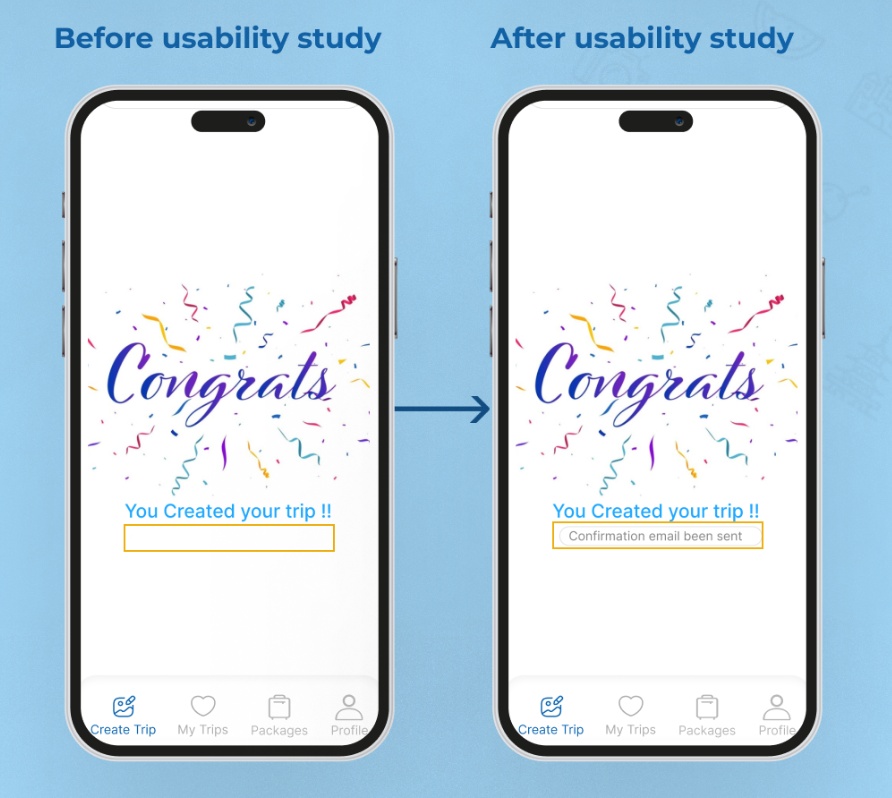
Users felt insecure seeing only a “Congratulations” message after booking, as there was no clear booking confirmation. Now, a booking confirmation is provided.
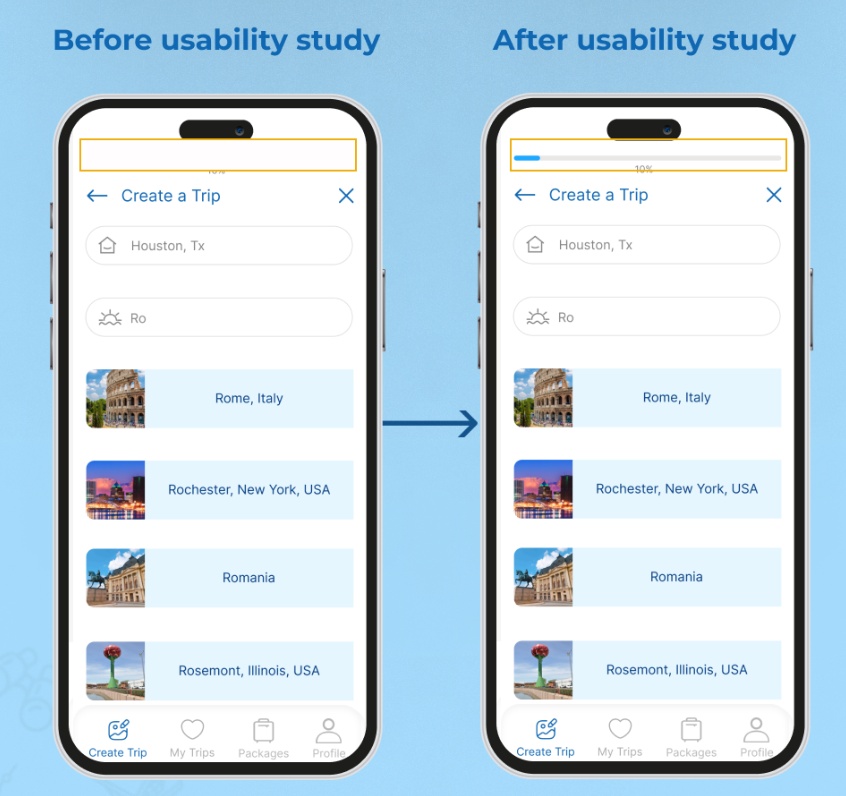
Users were unsure when the trip creation process would be completed. Now, there’s a progress percentage bar.
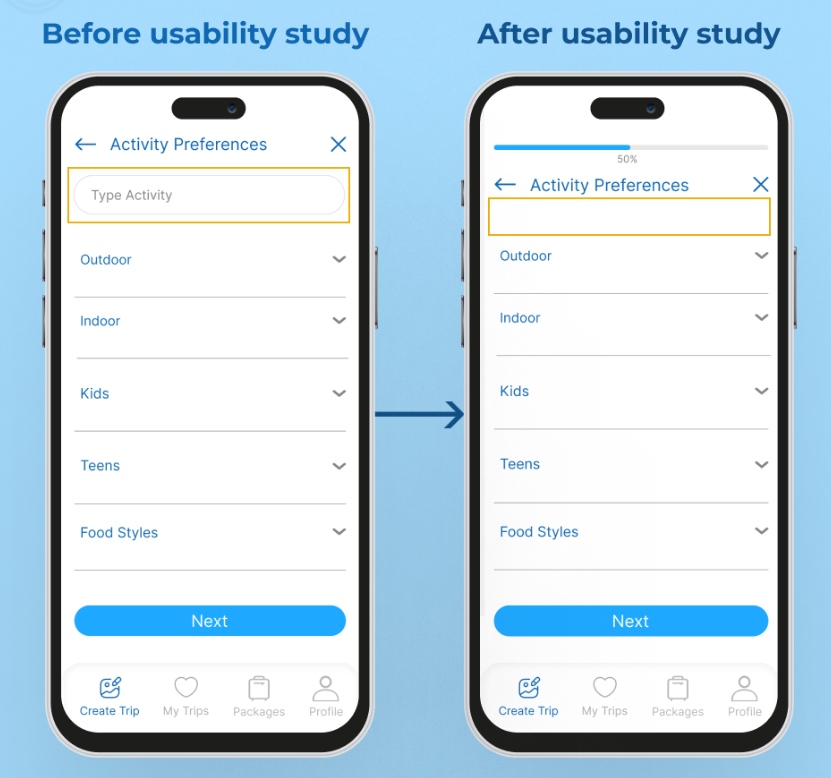
Users found the “Type Activity” bar distracting and were unclear about the process, next steps, and how its actions would impact the trip. Now, it has been removed.
Second round key insights
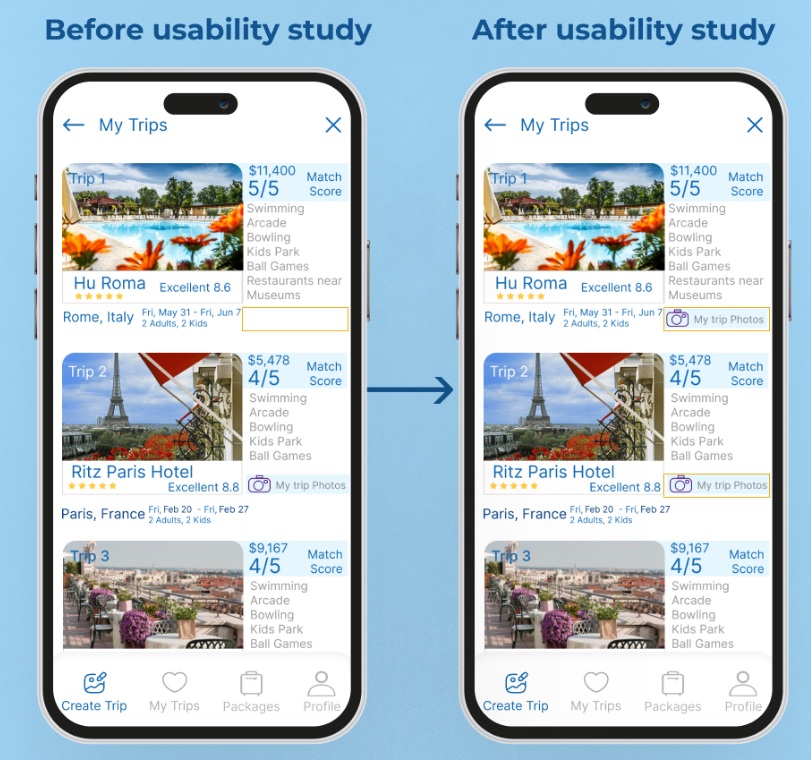
Users liked seeing photos of places they had visited before. Now, this feature has been added.
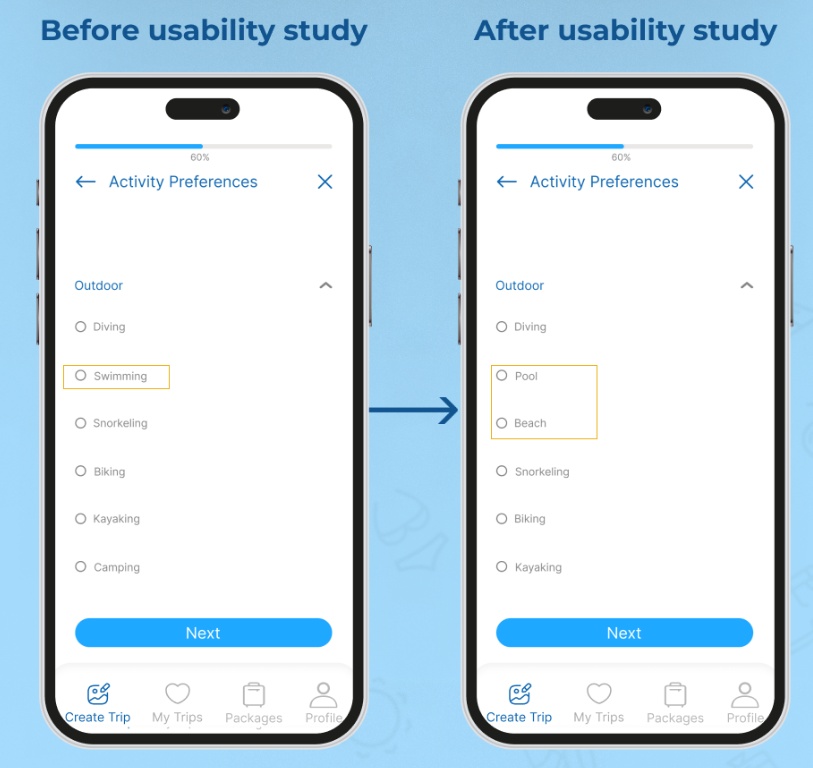
Users found “Swimming” under “Indoor” too general. Now, it has been replaced with the more specific options “Pool” and “Beach.”
Outcome
Lessons & Next Steps
Reflecting on the design journey and future goals.
5
Participants in moderated usability testing
2
Rounds of remote usability testing
6
Usability insights turned into design fixes

Project Learnings
Lessons Learned
The understanding, information, and experiences gained from the project brief, as well as from the research, ideation, prototyping, testing, and implementation phases of the design process. We used these lessons to guide our decision-making and design processes. They include both achievements and mistakes.
- Creating an app isn’t about the designer; it’s about the user.
- The importance of user research (primary & secondary) and user testing, as it’s crucial to understand users’ needs and preferences to design a product that meets their expectations.
- The responses used to create the user persona, affinity map, and empathy map helped with project decisions.
- Identified the pain points and solved them through ideation, prototyping, and testing throughout the design process.
- Design is rarely flawless on the first try, which is why iterative design is invaluable. We were able to improve the user experience through iterative design, continuously refining and improving our product based on user feedback from the moderated usability testing we carried out.
- We simplified the user journey and made it easy for users to navigate the app. Users should be able to quickly and easily find what they are looking for, such as activities, profiles, packages, and trips.
Next Steps
My role involved creating the user interface, ensuring a pleasant aesthetic, and making the app user-friendly and accessible. Meanwhile, developers focus on security, app efficiency for large numbers of users, reliable matching algorithms, and system scalability.
- Apply all usability testing findings to the project.
- Conduct a third round of usability testing.
- Apply other MVPs to the project.

